Practice Flow
Every role sees the part of the journey that belongs to them.
Posture 4 Health gives reception and assistants, practitioners, managers and owners a view shaped around the work each role needs to complete.
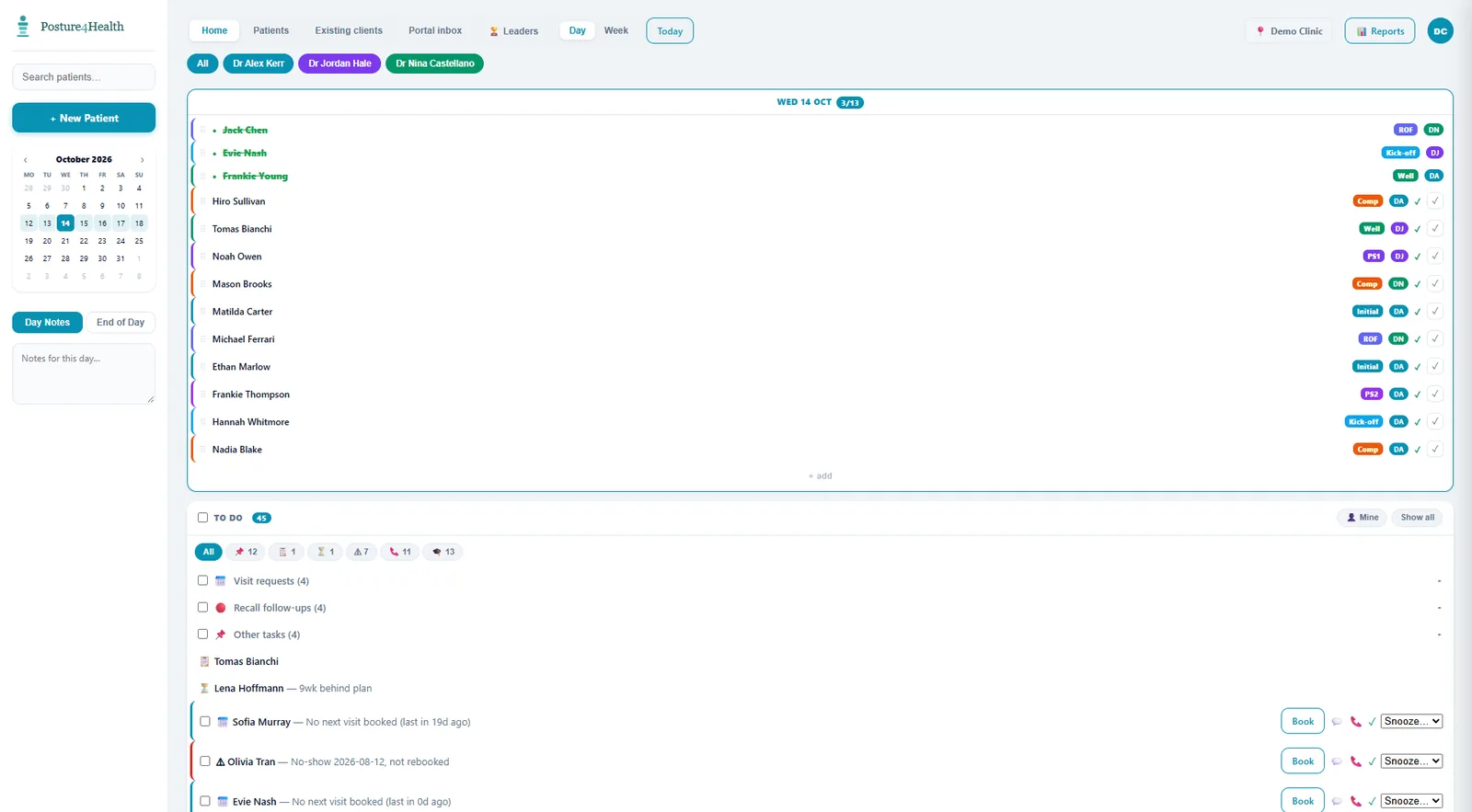
Posture 4 Health gives reception and assistants, practitioners, managers and owners a view shaped around the work each role needs to complete.
The day sheet shows who is booked, who has arrived and what needs doing next. The to-do list turns missed visits, cancellations and clients falling behind into tasks with a name against them.
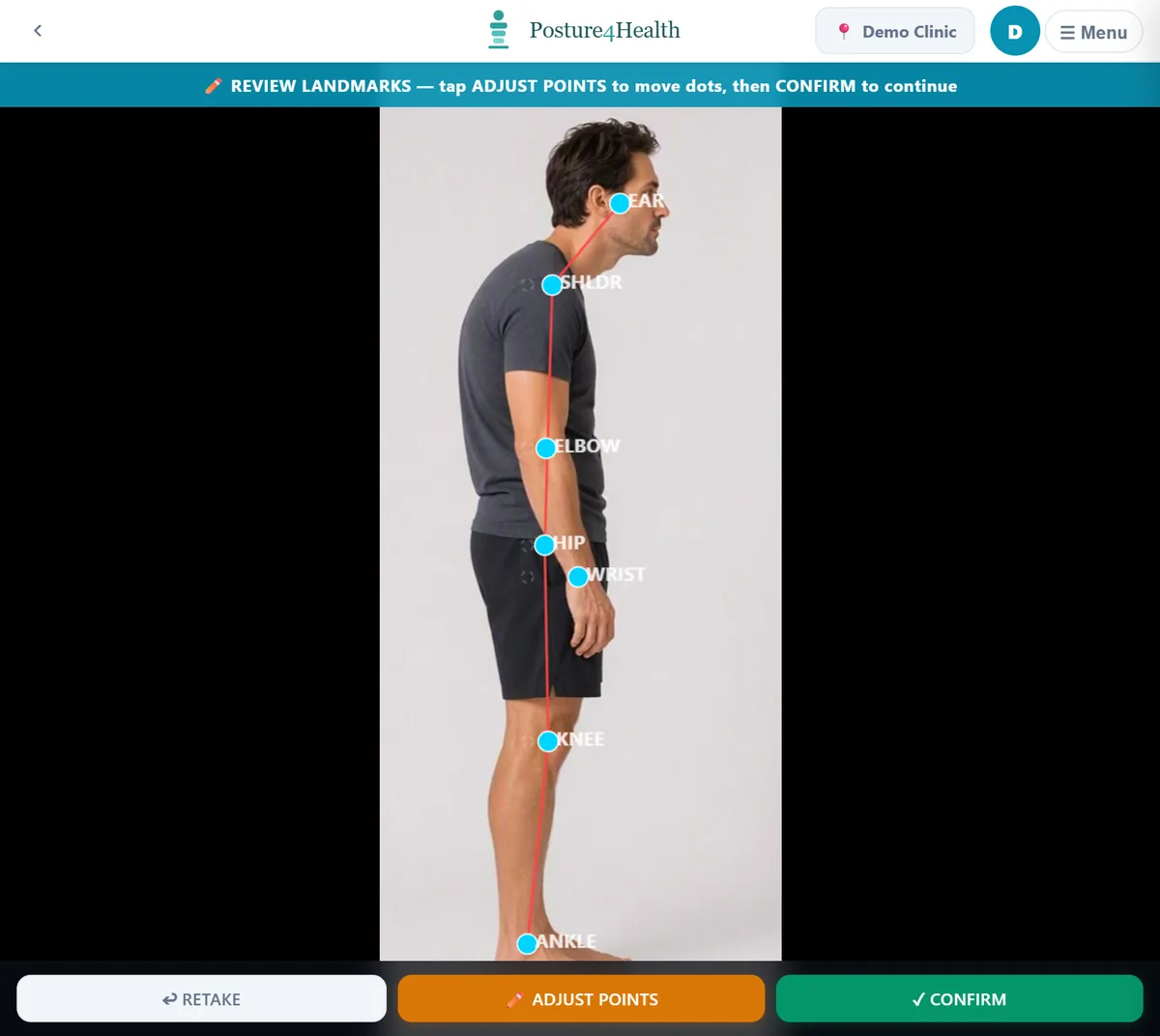
Open the client from the live schedule, scan, review the landmarks, present the findings and compare against the last assessment.
Team activity, the end-of-day close-out and the week's numbers, with unresolved tasks and who owns them.
The weekly meeting starts from the numbers, not from assembling them.
Locations, practitioners, calendar trends, Xero information, quarterly review and annual performance, with the biggest constraint called out.
Spreadsheet assembly. It does not replace leadership or decision-making.
The scan station records the operator through a PIN, so the practice can run assessment capture without creating a separate assistant role in the software. A scan is attributed to the person who actually operated it.
A workflow demonstration built around your reception, assistants and practitioners.
Book a Demonstration