Practitioner Workflow

Start quickly. Scan clearly. Report with confidence.

Open the client from the appointment context, capture the assessment, review the main findings and create a practice-branded report without slowing the floor.
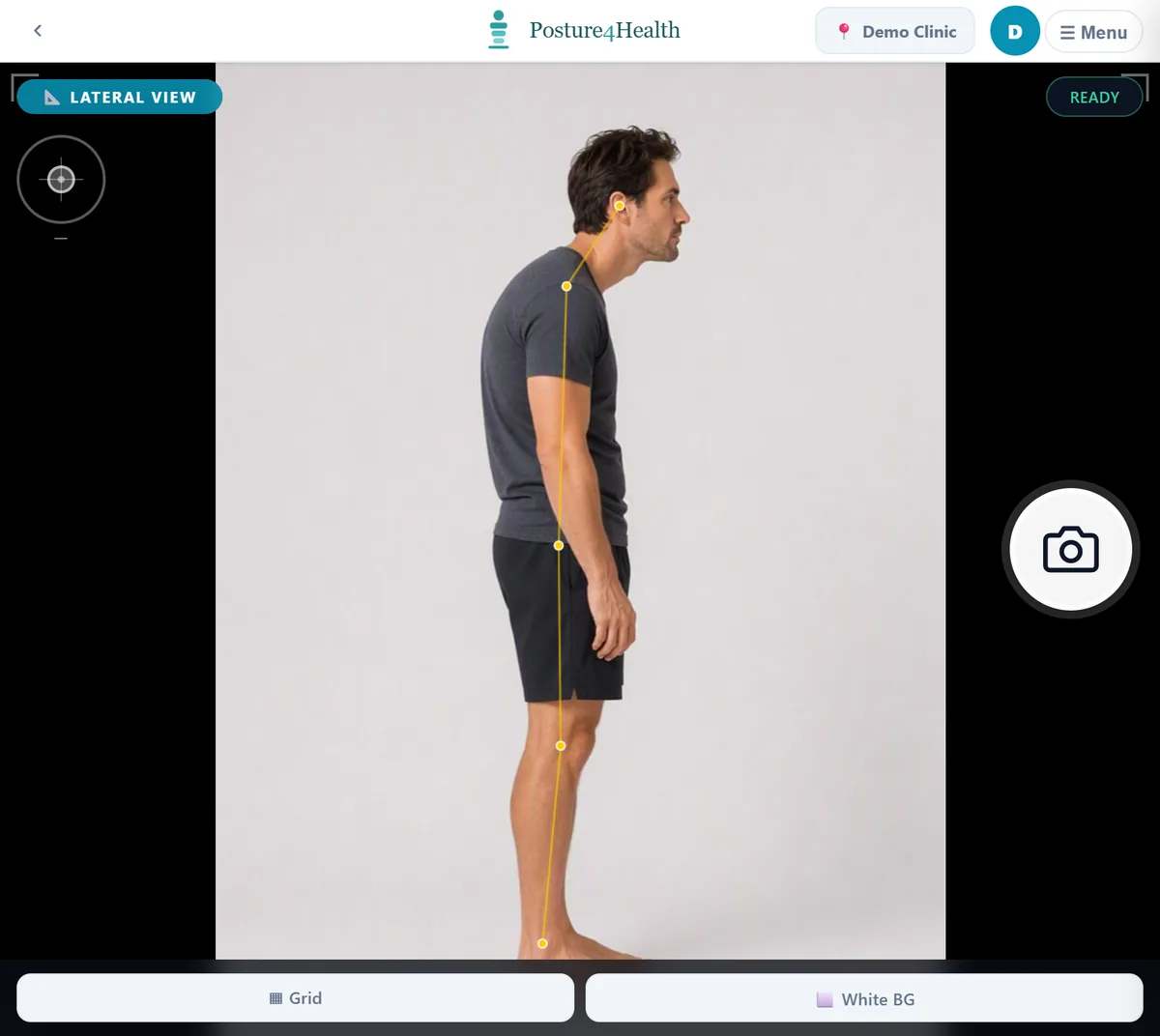
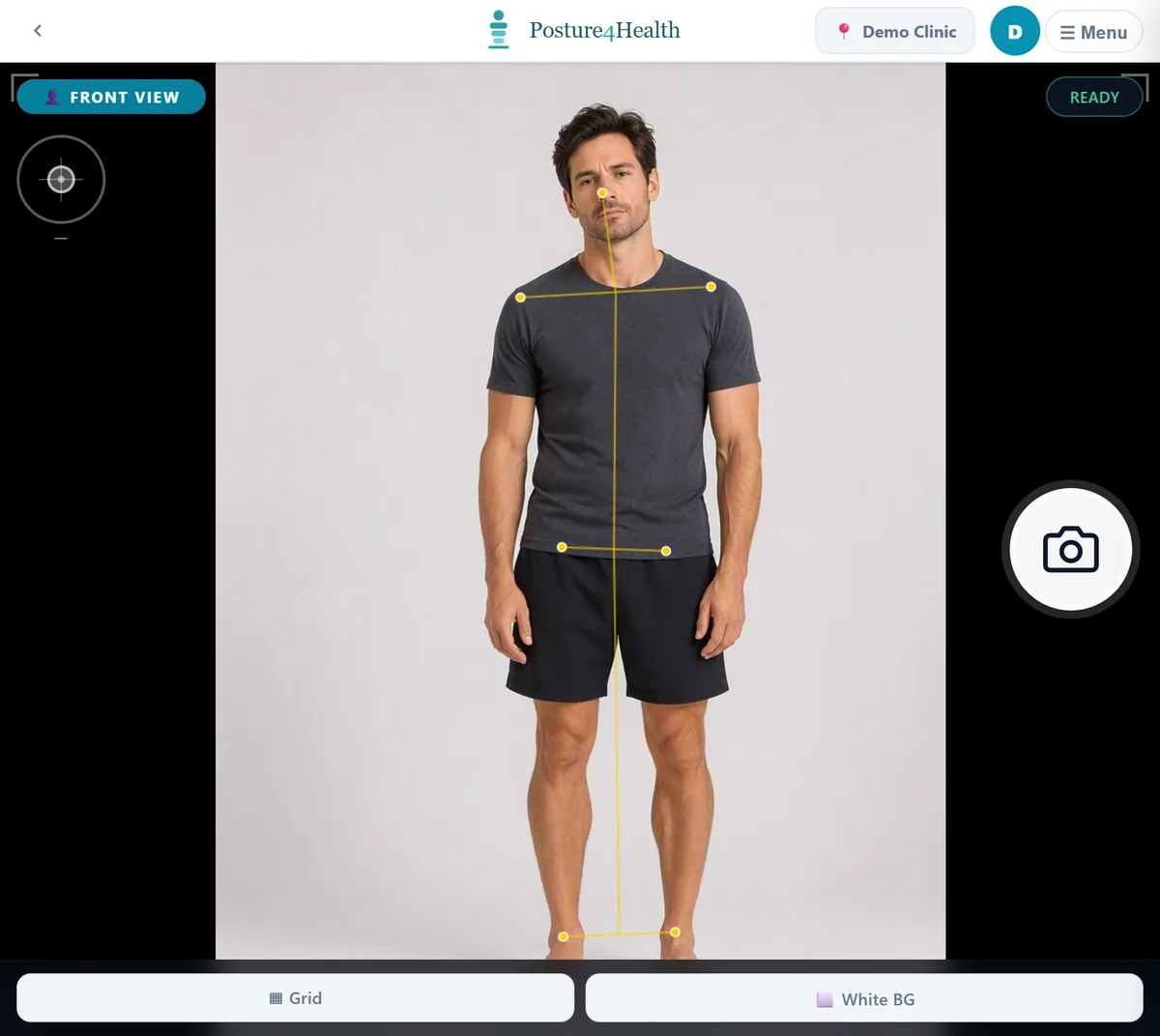
The scan app framing a lateral view with a live skeleton line
Live framing, lateral view Illustration using demo data.
The Workflow

Seven steps, one record

  1. OpenStart from the client record or appointment context.
  2. CaptureUse lateral and anterior views with guided positioning and landmark support.
  3. ReviewSee the score, photographs and key measurements in a clear clinical summary.
  4. PresentUse the client-facing visual mode to explain the assessment.
  5. ReportCreate and store the report using the practice's selected language and branding.
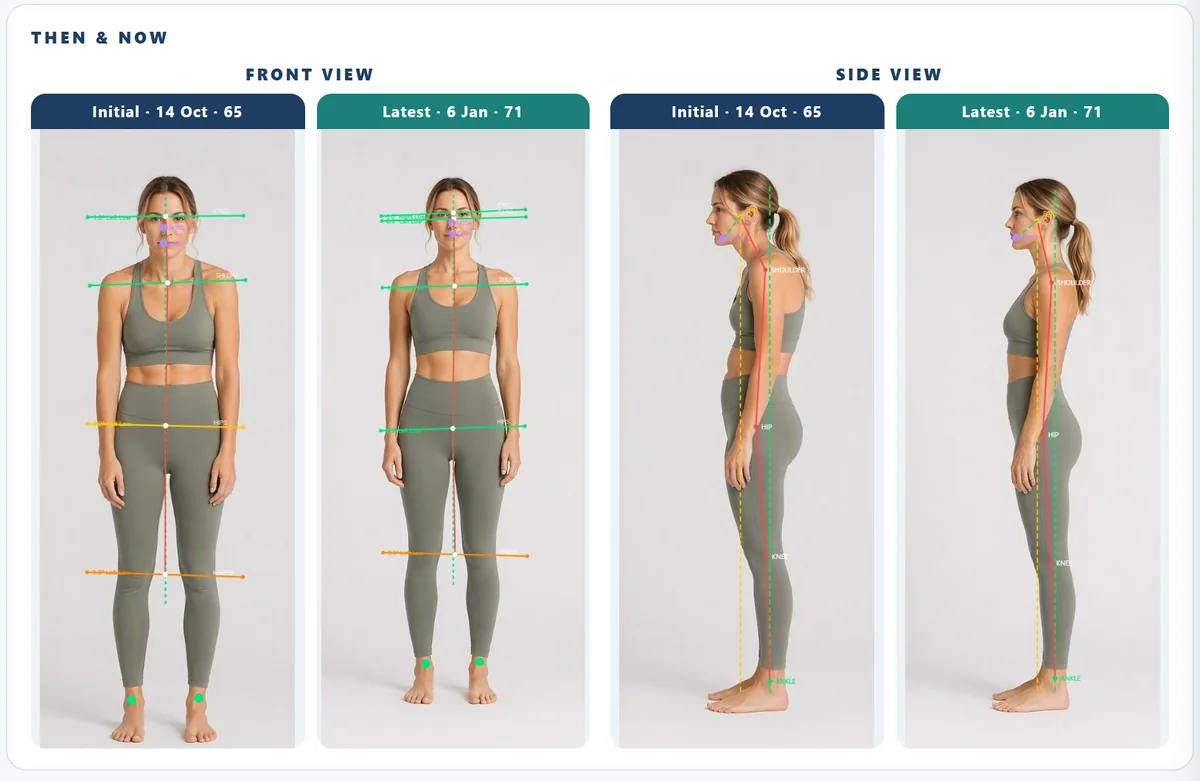
  6. Re-examineCompare the score and photographs side by side. Surveys and home-care activity remain available on the same client record.
  7. FileSend supported reports, X-rays, documents and care-plan reports back to the connected PMS, together with the available clinical or treatment note.

The shaded step leaves Posture 4 Health and lands in your PMS.

Capture

Guided positioning, on a tablet, with or without internet.

A live skeleton and framing guide show when the client is in position. A scan completes offline and syncs when the connection returns.

  • Lateral and anterior views one after the other
  • The scan station records who operated it
  • Retake straight away if the capture is not right
Lateral framing
Lateral view Illustration using demo data.
Anterior framing
Front view Illustration using demo data.
Review and present

Check the points. Then show the client their own photographs.

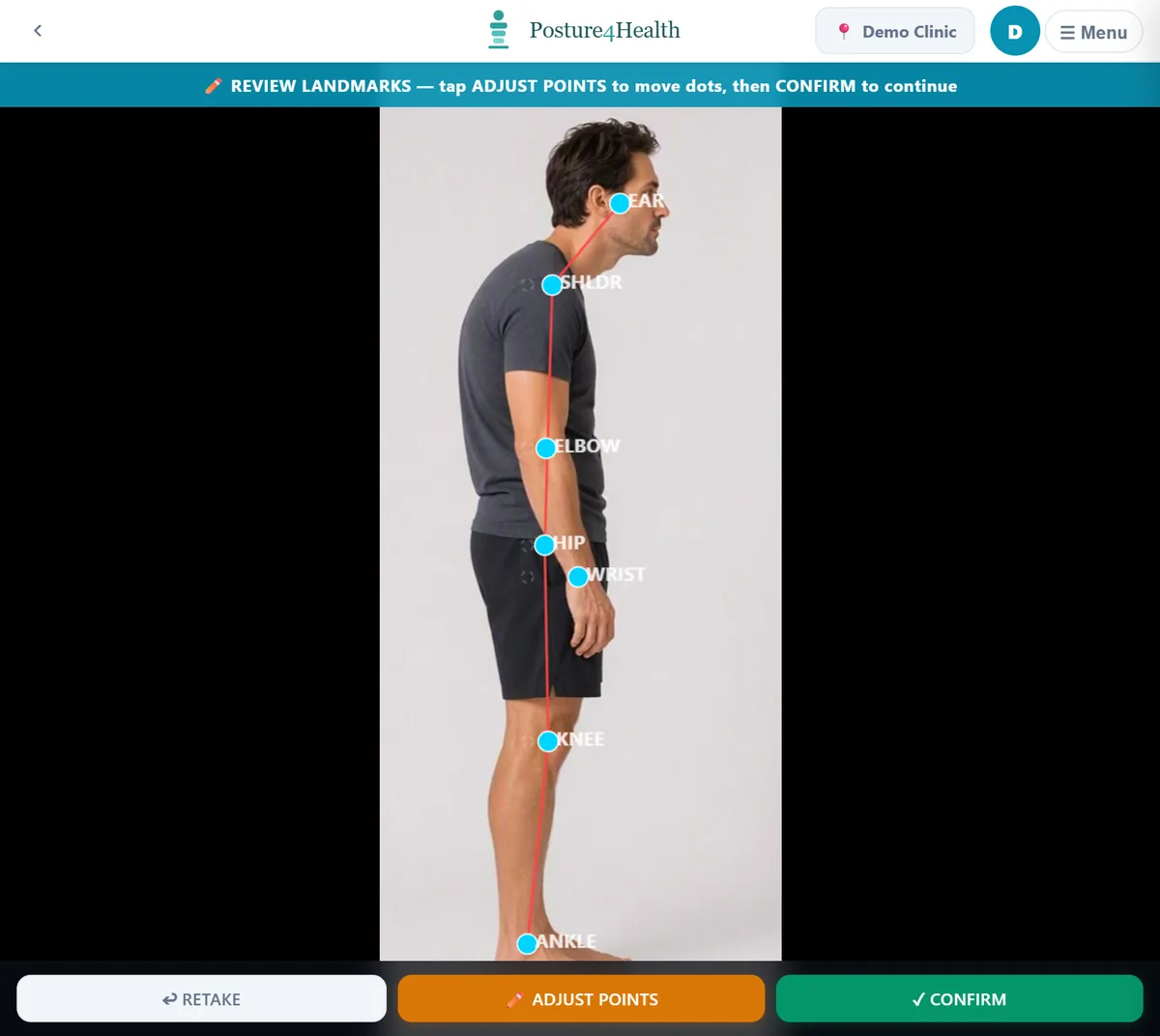
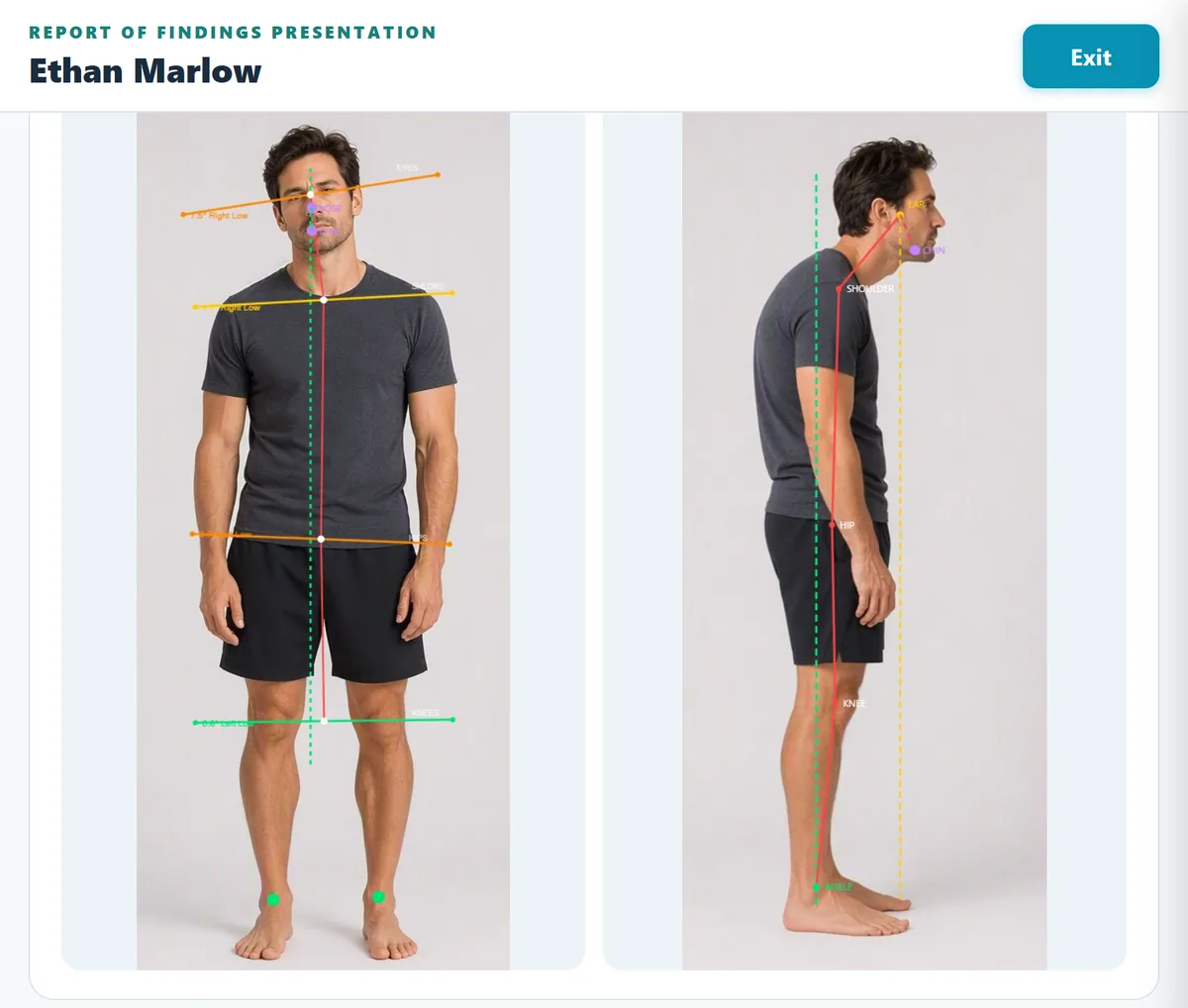
Points are placed automatically; check them, adjust any that are off and confirm. Presentation mode then puts the front and side views, with the measured lines, in front of the client.

  • Adjust any point by hand, then confirm
  • A large, calm view built for a conversation
  • Exit back to the record when you are done
Landmark review
Review landmarks Illustration using demo data.
Presentation mode
Presentation mode Illustration using demo data.
Re-exam

Then and now, like for like.

Each re-assessment uses the same method, so the comparison is fair. Posture changes gradually and results vary between people, so this page does not promise outcomes: it offers speed, consistency and a clearer conversation.

  • First and latest assessments side by side
  • The change in score alongside the change in the photographs
  • Surveys and home-care activity sit on the same client record
First and latest assessments side by side
A staged comparison for illustration, not a client result. Dates and scores are illustrative. Illustration using demo data.
Care Paths

Configurable care paths, including the 4R Protocol.

The practice can configure the care path it works to, including the 4R Protocol, so reports, plans and messages follow the framework the practitioner already uses. It is a setting inside the workflow, not a separate product.

Watch a scan, a report and a re-exam in your own practice.

A focused demonstration of the workflow from first scan to re-exam.

Book a Demonstration