Reports, Forms and Surveys

Collect the information once. Keep it with the journey.

Assessments, reports, forms and practitioner-selected questionnaires stay connected to the client record, making progress reviews easier to prepare and explain.

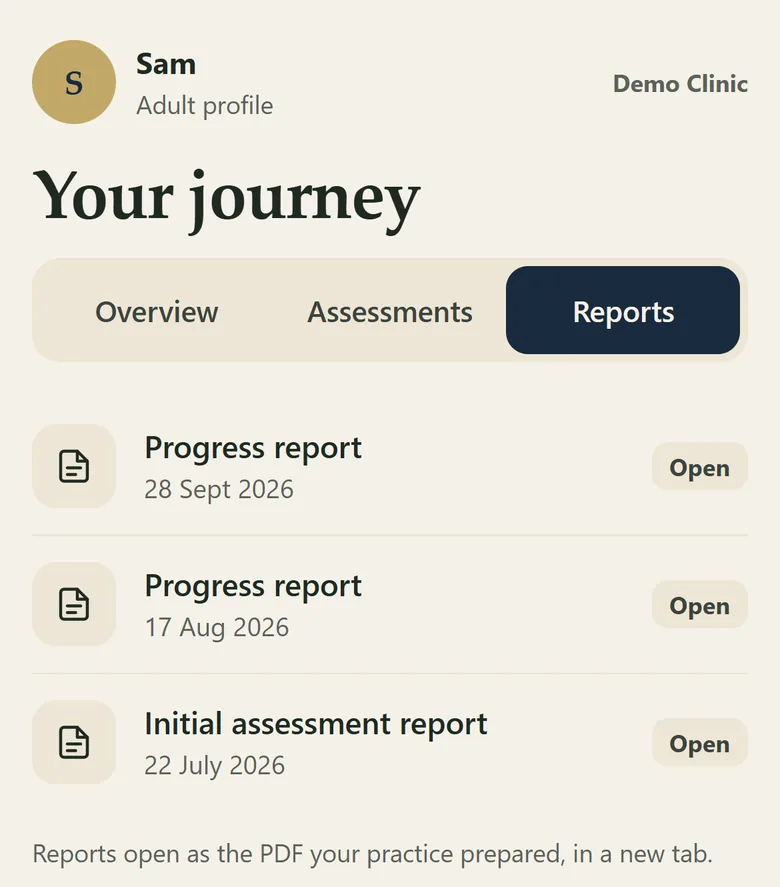
The portal Reports tab listing progress reports and the initial assessment report
Reports in the client portal Illustration using demo data.
What It Covers

Reports, documents and questionnaires on one record

Reports

Create practice-branded initial and progress reports using the chosen clinical language and visual identity, each noting that it is a screening aid and not a diagnosis.

Documents

Store and, where supported, file reports, X-rays and documents back to the PMS.

A library of ten questionnaires

Ten established questionnaires cover pain, back and neck disability, function, mood and anxiety, and general wellbeing. Practitioners choose what to use for each client, and a practice can switch individual questionnaires on or off.

Scored and tracked

Each questionnaire is scored automatically and kept on the client record, so progress is easy to see alongside the posture comparison. They are screening and tracking tools, not diagnoses.

Forms

Practice-built forms, including consent forms with a signature, delivered through the portal.

Client record

Survey responses and home-care activity remain visible on the same client record, alongside the posture comparison rather than inside it.
The Reports

See what the client sees, and what the practitioner keeps.

Choose a report to see it.

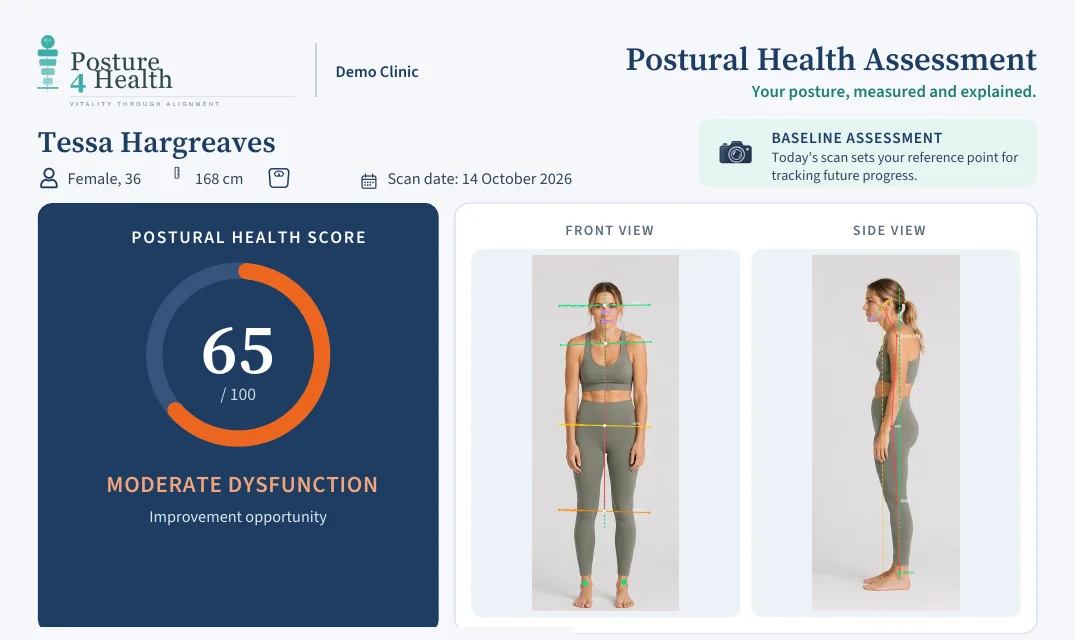
The first report a client takes home.

The score, the front and side photographs with the measured lines drawn on, and the priorities, in the practice's own branding.

  • Front and side views with the measured lines shown
  • Priorities in plain language, in the practice's own words
  • Every page carries the note that it is a screening aid, not a diagnosis
The top of an initial report: the score and the front and side photographs with measured lines
The top of an initial report Illustration using demo data.

The same measurements, side by side.

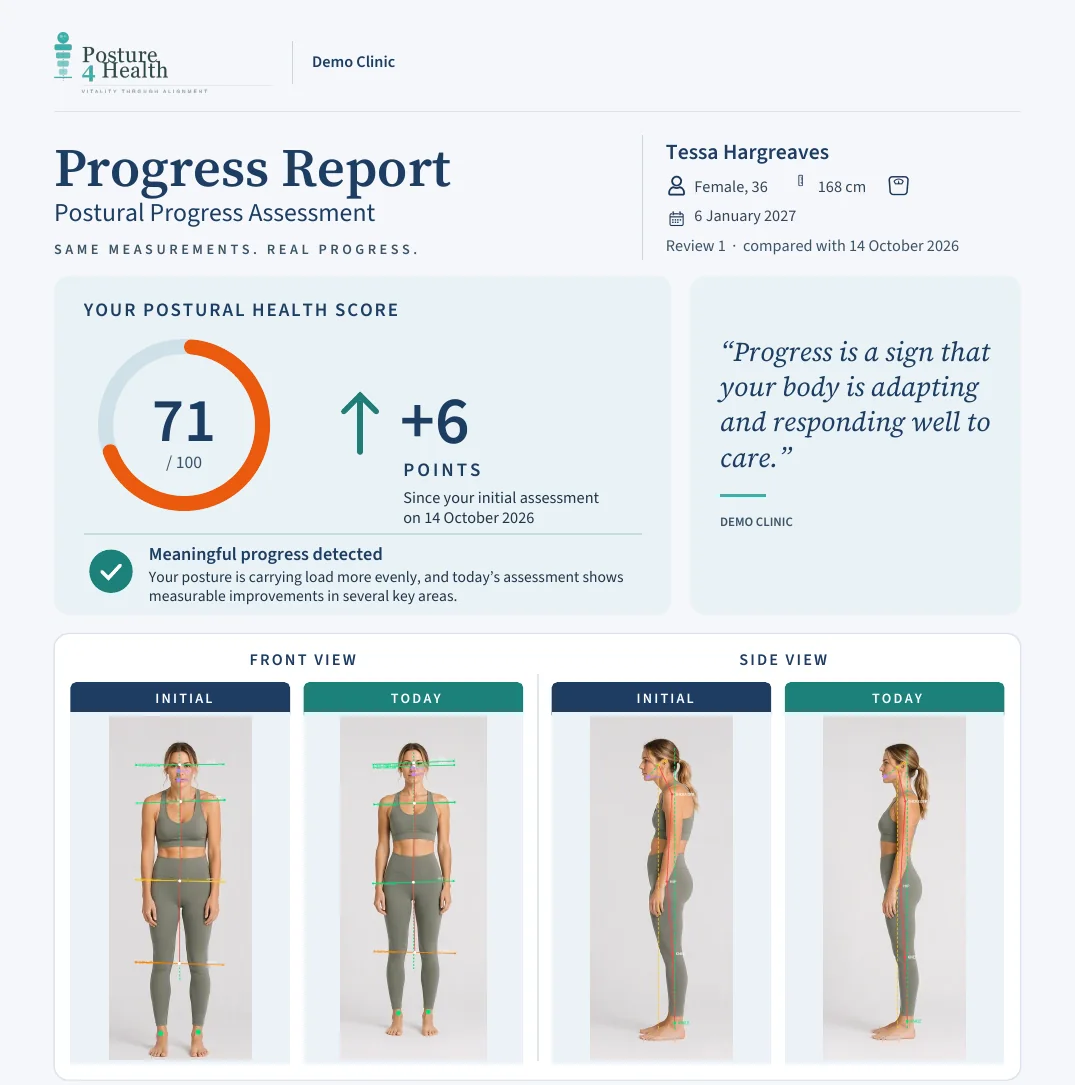
At each re-assessment the client sees the change in score and their initial and current photographs together, so progress is visible rather than described.

  • The change in score since the initial assessment
  • Initial and today views of the front and the side
  • A note that individual results and responses to care vary
The top of a progress report: the score change and initial and today photographs side by side
The top of a progress report Illustration using demo data.

Every reading, for the practitioner.

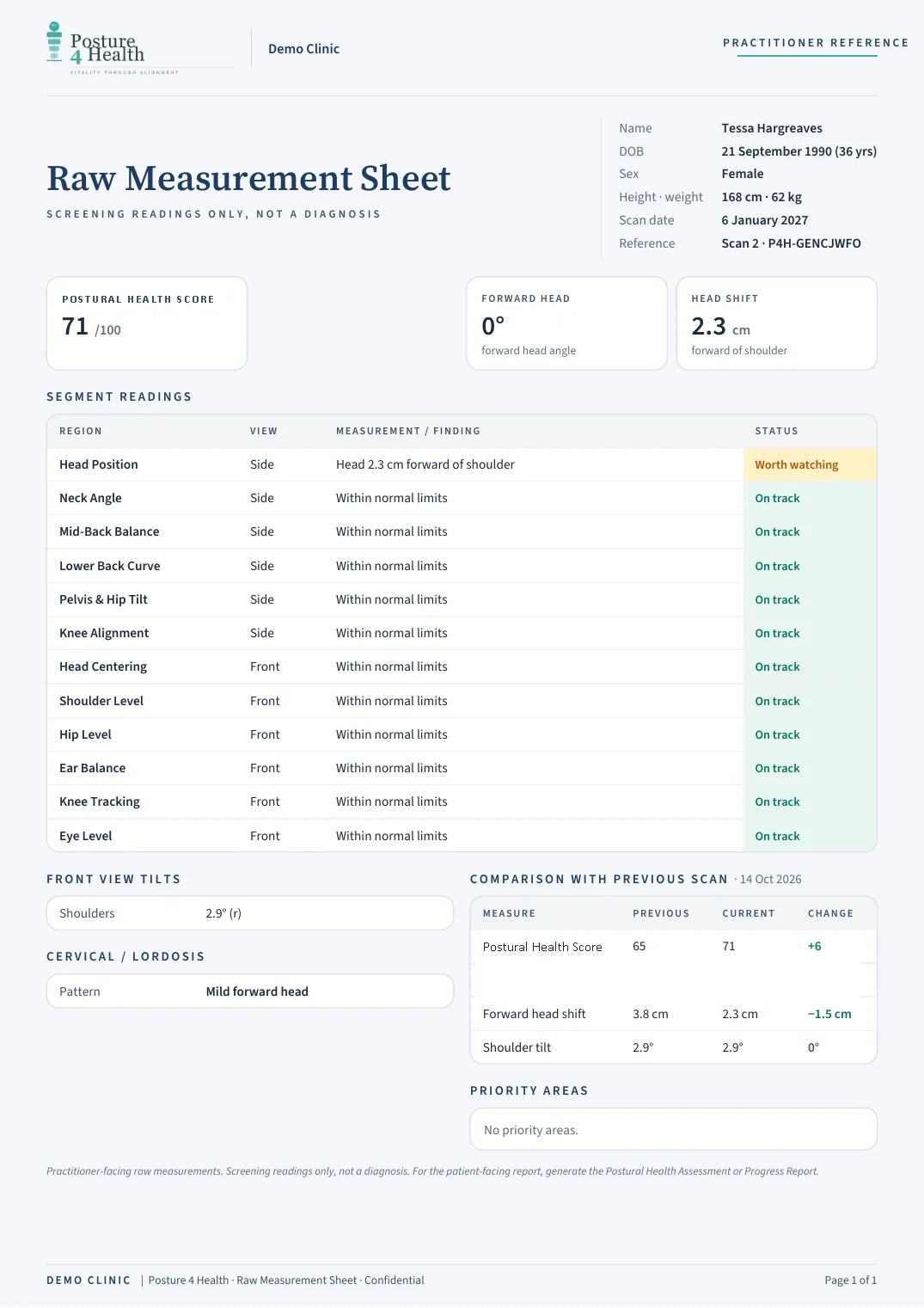
A raw measurement sheet lists each reading with a status and compares it with the previous scan, for the clinical file.

  • Each region with its reading and a status
  • A comparison with the previous scan, with the change
  • Marked as screening readings only, not a diagnosis
A practitioner raw measurement sheet with each reading, its status and a comparison with the previous scan
The practitioner measurement sheet Illustration using demo data.

From scan to report on one screen.

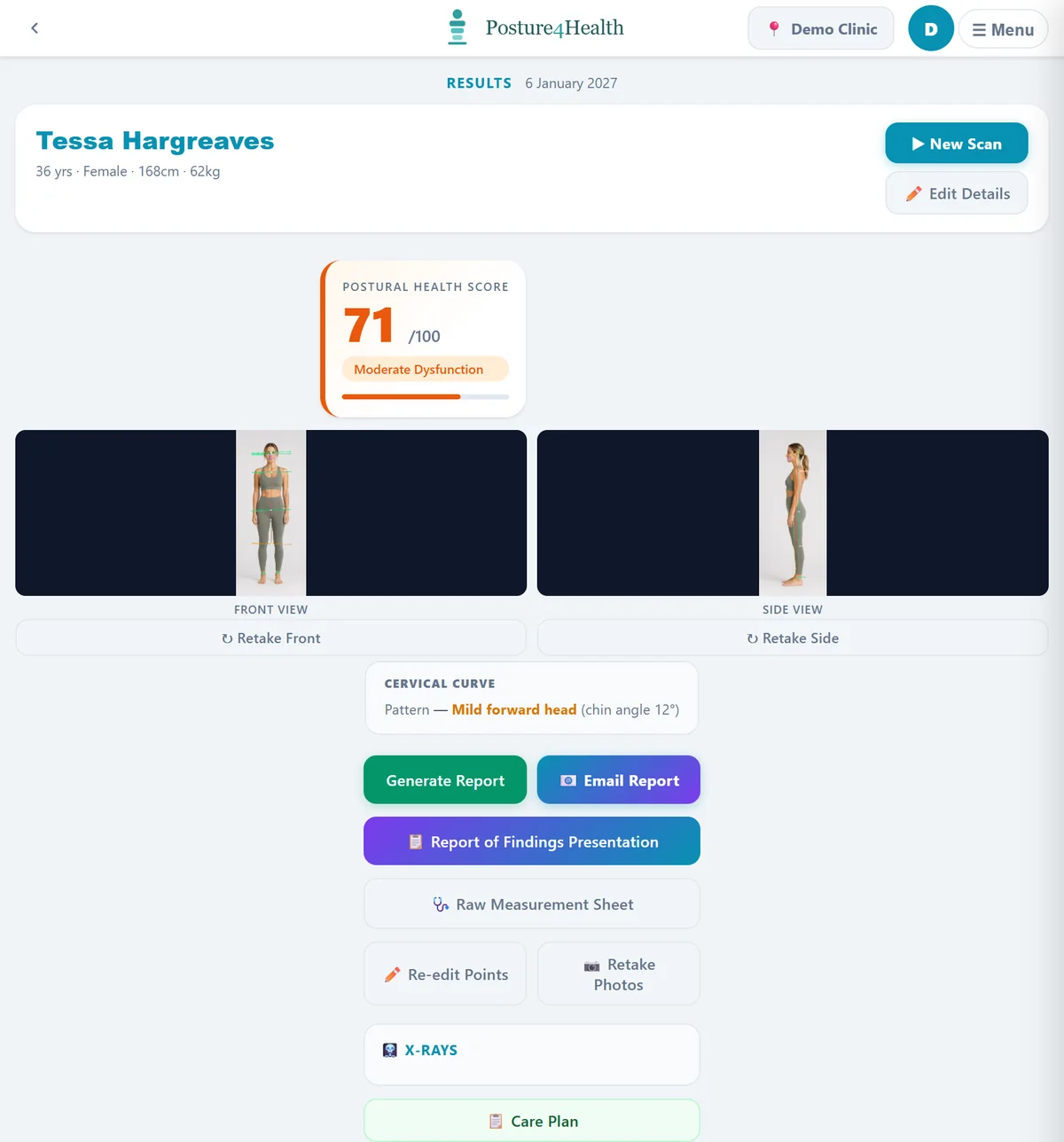
After a scan the practitioner sees the score and photographs, then generates the report, emails it or presents the findings from the same place.

  • Generate or email the report, or present the findings
  • Open the raw measurement sheet, X-rays or the care plan
  • Send the client's surveys from the same screen
The practitioner results screen with the score, photographs and report buttons
The practitioner results screen Illustration using demo data.
The Library

Ten questionnaires, grouped by what they measure

AreaQuestionnaires
PainPain Rating (0 to 10) and Pain Visual Scale (0 to 100)
Back and neck disabilityLow Back Disability (Oswestry), Neck Disability (NDI) and Back Disability (Roland-Morris)
FunctionBack Function (BPFS) and the Personal Activity Scale (PSFS), where the client names the activities that matter to them
Mood and anxietyMood Check (PHQ-9) and Anxiety Check (GAD-7)
WellbeingVitality and Wellbeing, a short energy and fatigue check-in

See a form, a survey and a report on one record.

A short walkthrough of how information collected once is used throughout.

Book a Demonstration